This guide provides steps on how to configure a property to charge no management fees, using the Nil Management Fee calculation method.
Set Up a Nil Management Fee
- Go to Property > Property Summary
- Select the relevant property
- Click on the Management tab
- Scroll to the Management Fees section
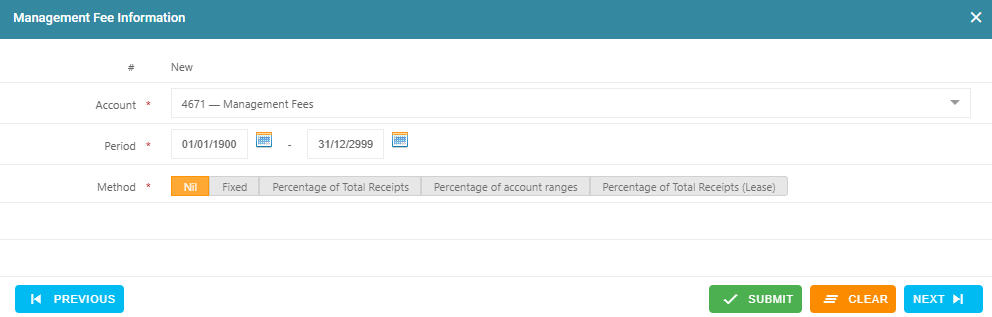
Click the + (plus) icon to add a new fee setup - Account: Select 4671 - Management Fees
- From Date: Enter the start date for the Nil fee setup (e.g., 01/01/1900 if it's the first setup)
- To Date: Enter 31/12/2999 for ongoing setup or a specific end date if applicable
- Method: Select Nil
- Click Submit to save the Nil Management Fee configuration
Was this article helpful?
That’s Great!
Thank you for your feedback
Sorry! We couldn't be helpful
Thank you for your feedback
Feedback sent
We appreciate your effort and will try to fix the article