Once a tenant has paid a bond to the trust account, these funds will need to be receipted to a bond invoice. This guide outlines the steps to correctly receipt tenant bond funds and ensure they are journaled into the sales trust.
To receipt the bond, go to:
- Accounts Receivable > Receipts
- Select the relevant Lease
- Complete the Payment Type, Direct Deposit Name, Receipt Date, @Bank
- Enter the Amount of bond received
- Apply the bond funds against the bond invoice.
- Ensure the Tenant Bond Tick Box is ticked against the bond invoice. This indicates that the property or lease has been correctly linked. When ticked, the system will automatically journal the bond funds into the sales trust when the receipt has been processed. If the Tenant Bond Tick Box is not ticked, it means you have not completed the linking process against the lease in Lease Summary.
- Click Process Receipt

Once the receipt has been processed, the bond will remain in the sales trust and will not be able to be paid out unless an accounts payable invoice has been entered against the bond / sub ledger and paid via Create Payments.
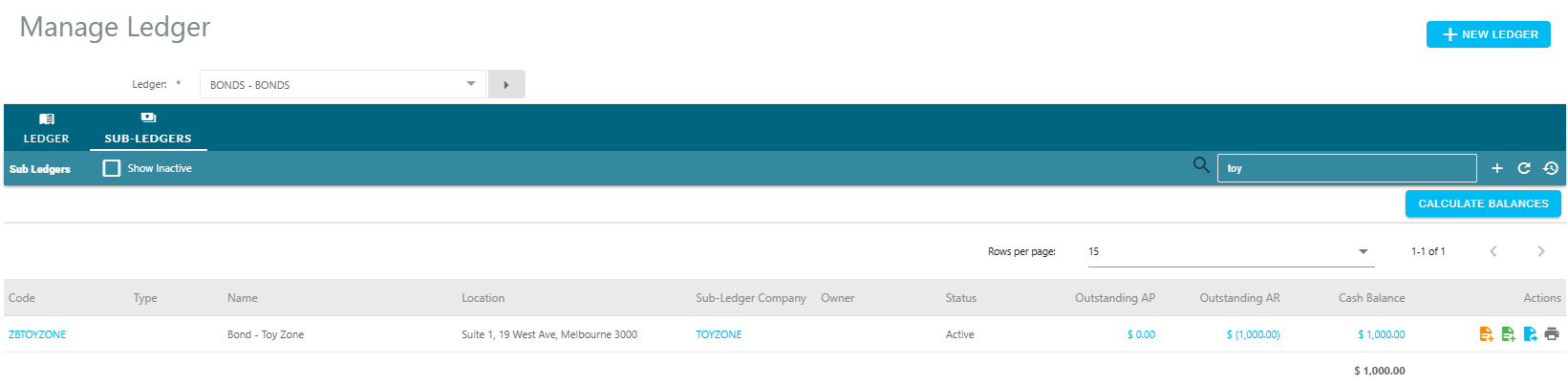
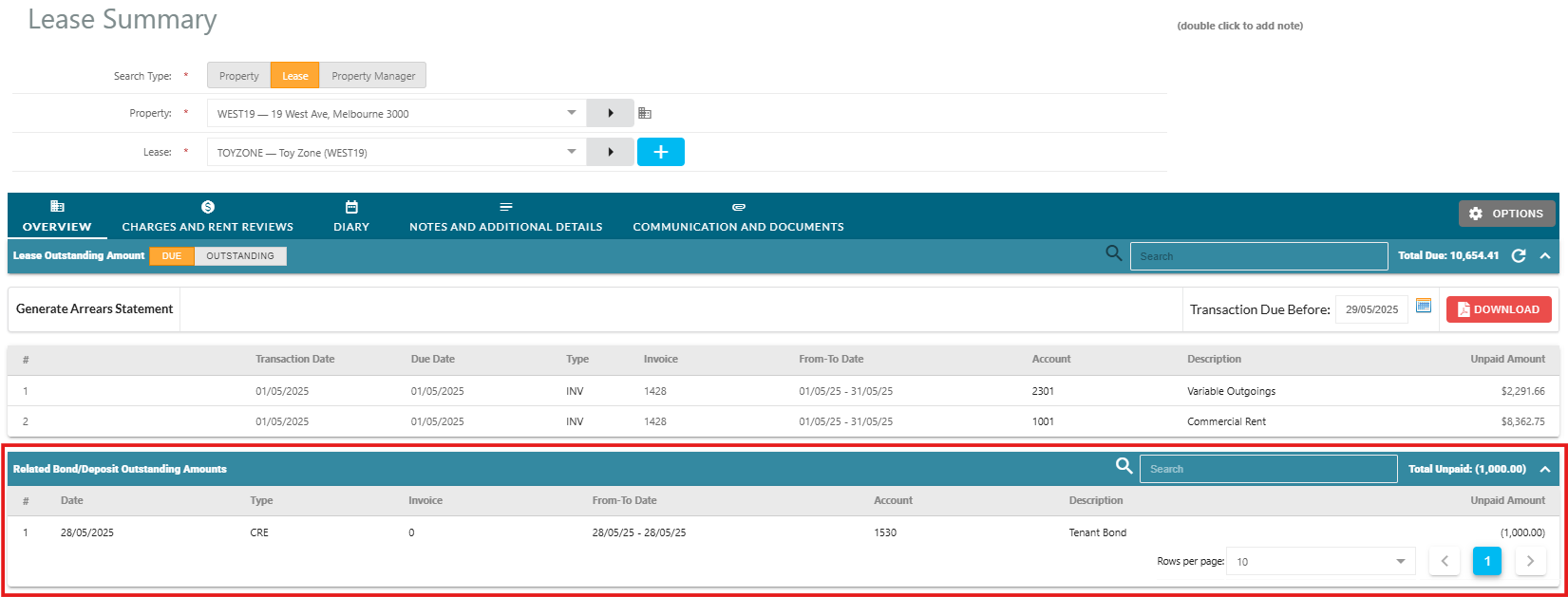
The bond will also now display as held against the main lease in Lease Summary > Related Bond/Deposit Outstanding Amounts.
Was this article helpful?
That’s Great!
Thank you for your feedback
Sorry! We couldn't be helpful
Thank you for your feedback
Feedback sent
We appreciate your effort and will try to fix the article