The Quality Assurance Report serves to support the quality control check of Accounts Payable invoices entered in Cirrus8 by providing a detailed list of each invoice and their specific details per entry. Users can generate this report to review and cross check the data entry information versus the tax invoice. Details include the following:
This section also allows a user to bulk download AP Invoice attachments.
Trust Accountant and Accounts Payable User location: Accounts Payable > Quality Assurance Report
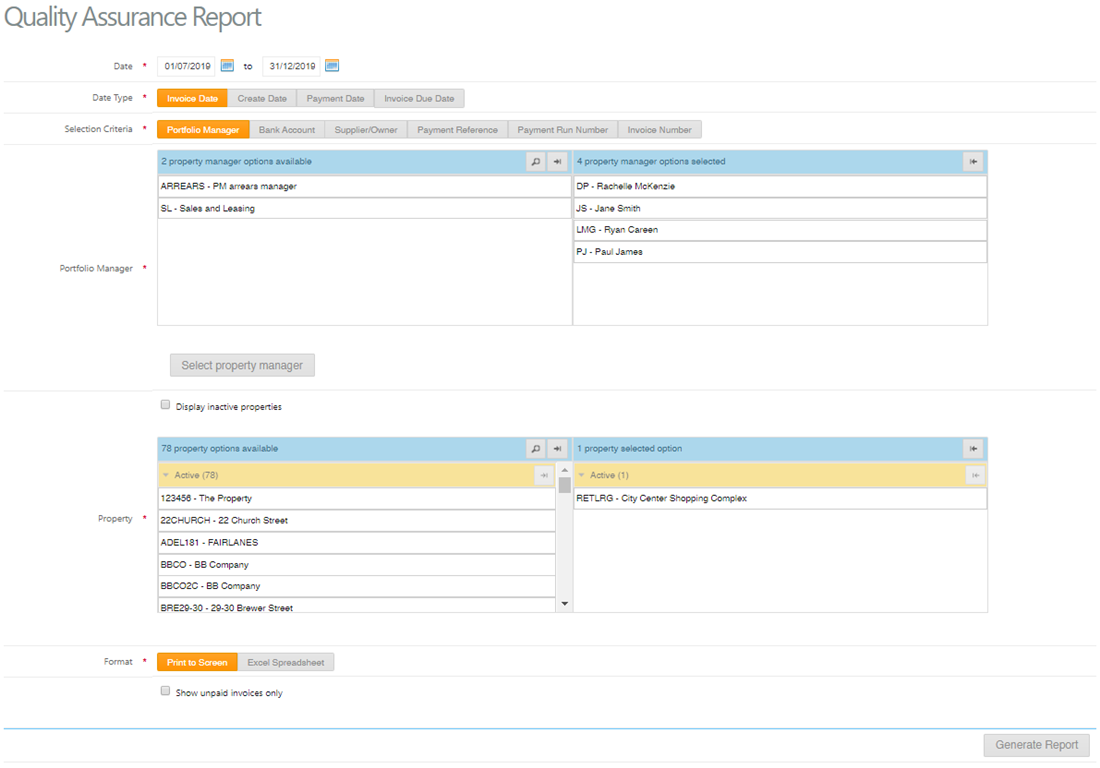
Generate Quality Assurance Report
- Select Date Range of invoices
- Select Date type preferences: Invoice Date, Create Date, Payment Date or Invoice Due Date.
- Selection criteria preferences: Portfolio Manager, Bank Account, Supplier/Owner, Payment Reference, Payment Run Number or Invoice Number.
- Select tick box to display inactive properties if required
- Select property
- Format: Print to Screen and Excel Spreadsheet
- Print to Screen: provides a snapshot of the invoice transaction details.
- Excel spreadsheet: provides detail of the invoice, payment, supplier, user and date entered.
Bulk Download AP Invoice Attachments
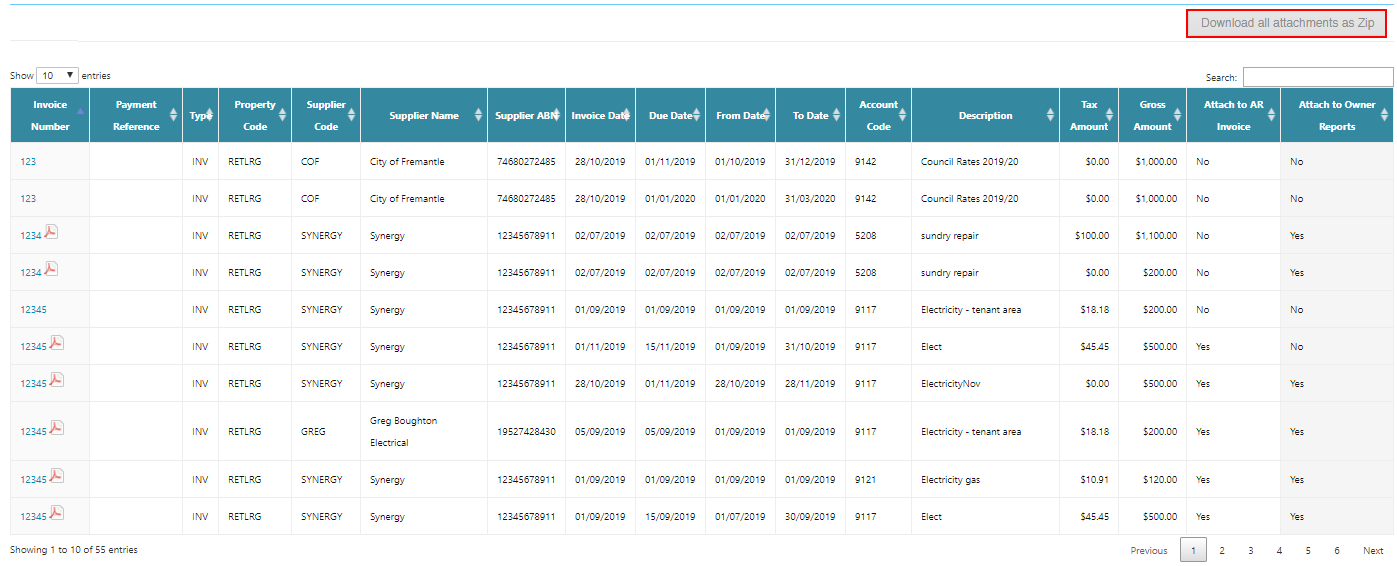
Accounts Payable invoice attachments are able to be downloaded in bulk when running the Quality Assurance Report. This enables easy comparison between the supplier tax invoices and the AP invoices entered or a quick way to provide supporting tax invoices to your auditor.
To do this, follow the below steps:
- Run the report based on the search criteria required
- Select Format as Print to Screen
- Click Download all attachments in Zip
Was this article helpful?
That’s Great!
Thank you for your feedback
Sorry! We couldn't be helpful
Thank you for your feedback
Feedback sent
We appreciate your effort and will try to fix the article