Once a bond sub ledger has been set up, a tenant can be invoiced for the bond. This bond invoice should be raised against the main lease (not the sub-ledger). This article provides a step-by-step guide on how to do this.
To raise a bond invoice as a Trust Accountant user, go to:
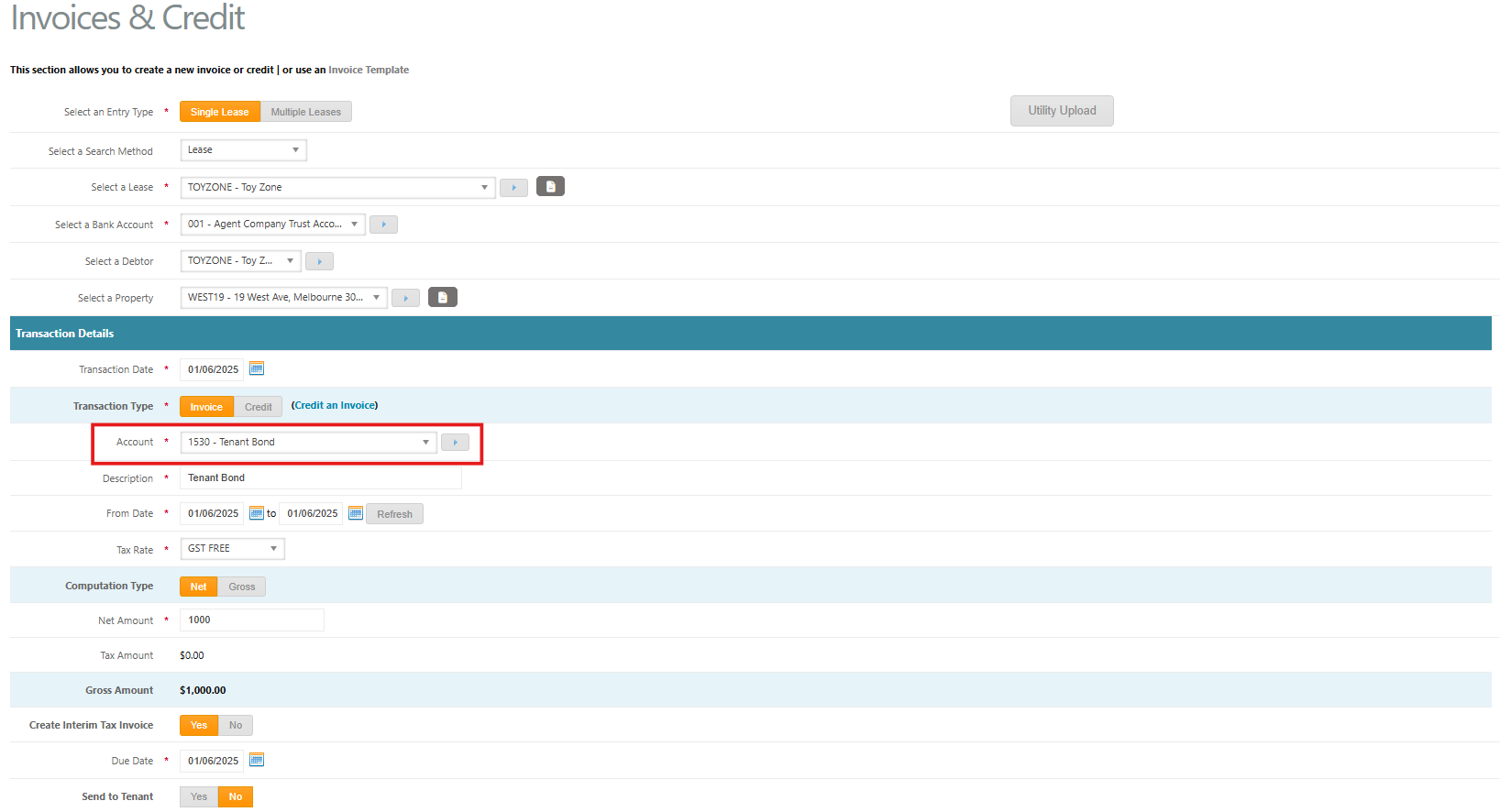
- Accounts Receivable > Invoices & Credits
- Select the relevant Lease. Note - this should be the main lease and not the ZB bond sub ledger
- Enter the Transaction Date
- Select Invoice as a Transaction Type
- Select 1530 Tenant Bond as the Account
- Enter a Description, e.g. Tenant Bond, or Tenant Bond Top Up
- Enter the From Date and To Date
- Select GST FREE as the Tax Rate
- Leave the Computation Type as Net
- Enter the Net Amount as the bond amount to invoice to the tenant
- Select Yes to Create Interim Tax Invoice to invoice the tenant straight away
- Enter the Due Date of the bond
- Select Yes to Send to Tenant
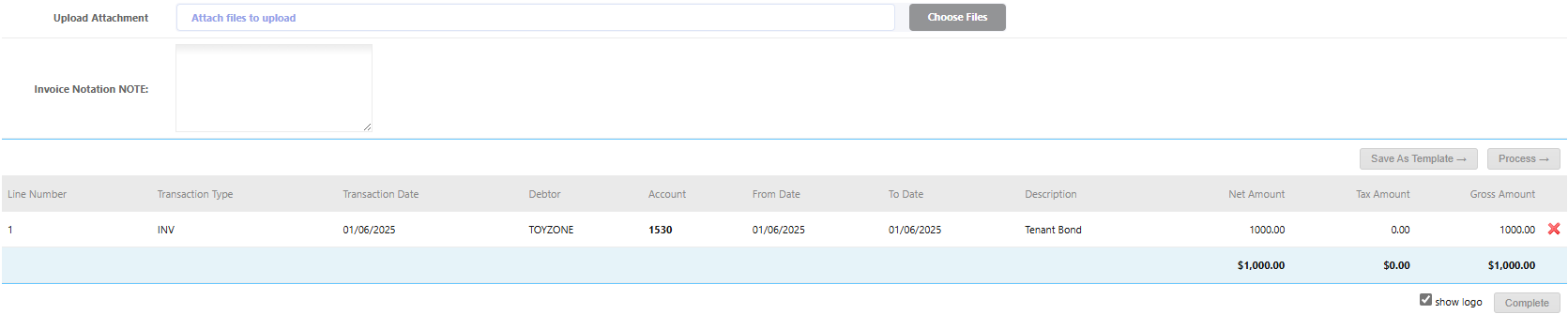
- Upload any attachments if applicable
- Click Process
- Click Complete
Next Steps:
Was this article helpful?
That’s Great!
Thank you for your feedback
Sorry! We couldn't be helpful
Thank you for your feedback
Feedback sent
We appreciate your effort and will try to fix the article