The Property List report allows you to generate a list of active or inactive properties assigned to a specific property manager.
Steps to Generate the Property List
Open the Property List
Navigate to Properties in the main menu.
Select Property List.
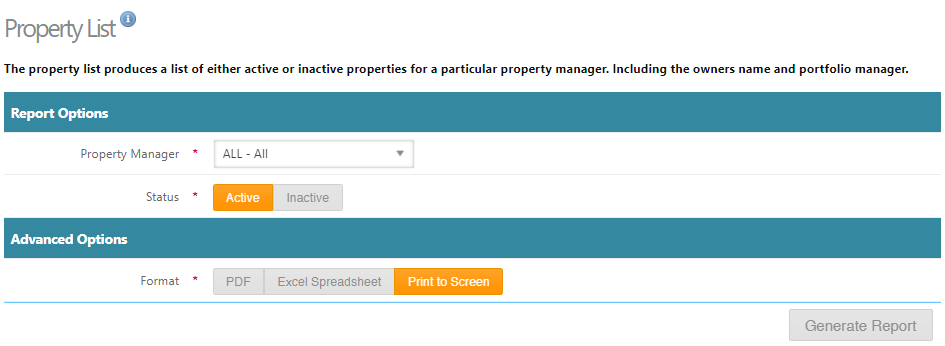
Select a Property Manager
Choose a specific Property Manager from the dropdown list, or
Select All to include properties for every manager.
Choose Property Status
Select Active to view currently active properties, or
Select Inactive to view properties that are no longer active.
Generate the Report
Click Generate Report to produce the list.
Export or View the Report
The report can be:
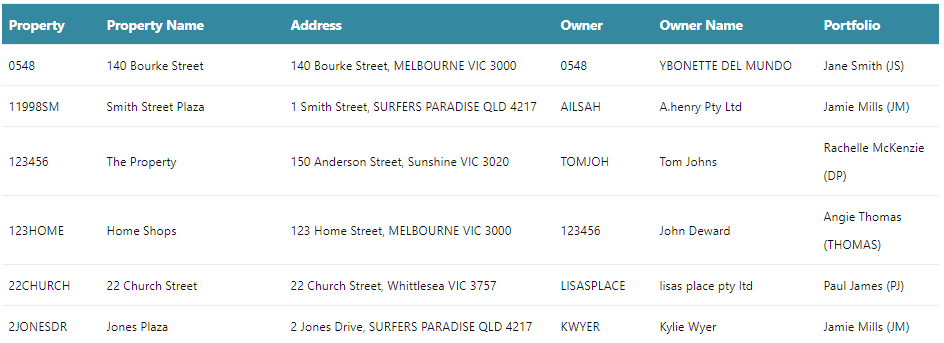
Printed to screen for immediate viewing
Exported to PDF
Exported to Excel
Was this article helpful?
That’s Great!
Thank you for your feedback
Sorry! We couldn't be helpful
Thank you for your feedback
Feedback sent
We appreciate your effort and will try to fix the article