There are a couple of ways you can manage the Promo Funds Property depending on how you want this to be reported.
For either scenario, the first thing you will need to do is set up a Promo Fund Property and attach a MISC Lease. To do this:
- As a Trust Accountant user, create a New Property for Promo Funds.
- Add the relevant detail up until the Bank Account section and then save the Property by clicking the green tick.
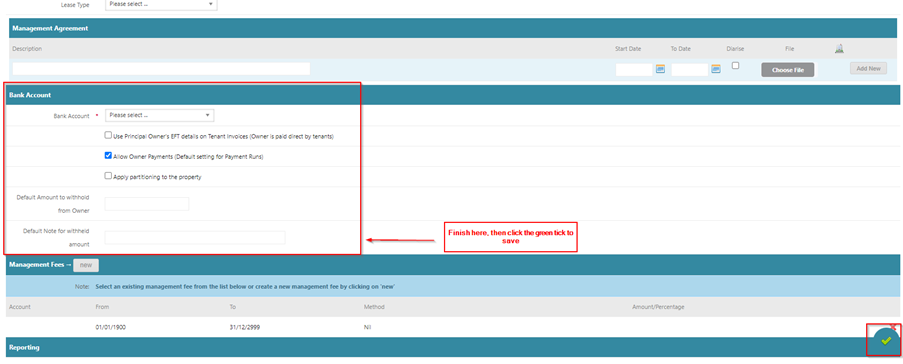
Once your Property has been created, you can now attach a MISC Lease.
For instructions on this, please see the following Help Article - https://help.cirrus8.com.au/quick-guides/create-a-misc-lease?from_search=146590627
Now that your Promo Fund Property has is ready, you have 2 options for how you would like to manage this depending on how you want these funds to be reported.
Option 1 would be to receipt Promo Funds to your Main Property as normal and then at the end of the month, process an Accounts Receivable Transfer Journal from your Main Property to your Promo Property. This will reduce the income on your Main Property and increase the income on your Promo Property.
Option 2 would be to reflect these funds as an expense. To do this, you would enter an Accounts Payable Invoice on the Main Property which you would then receipt into the Promo Property via the MISC Lease.
Once you know how you would like this to be reflected, if you would like more information on either of these options, please let me know.
Was this article helpful?
That’s Great!
Thank you for your feedback
Sorry! We couldn't be helpful
Thank you for your feedback
Feedback sent
We appreciate your effort and will try to fix the article