To delete this invoice, you will firstly need to reset it. Please follow the below steps:
Accounts Receivable > Reset Invoice Number
- In put search options to locate invoice
- Use View hyperlink to open the invoice
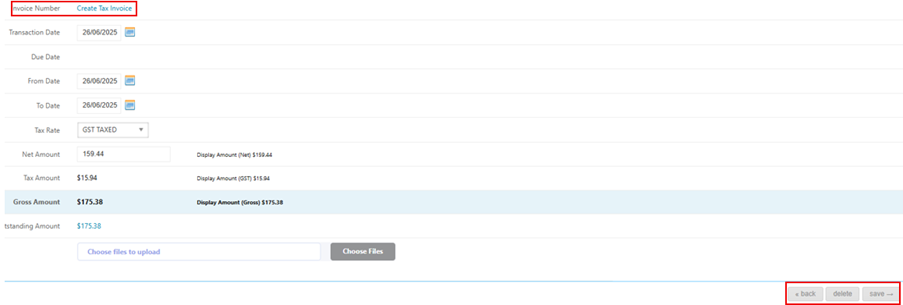
- You will then be given the choice of resetting one or all items from the invoice
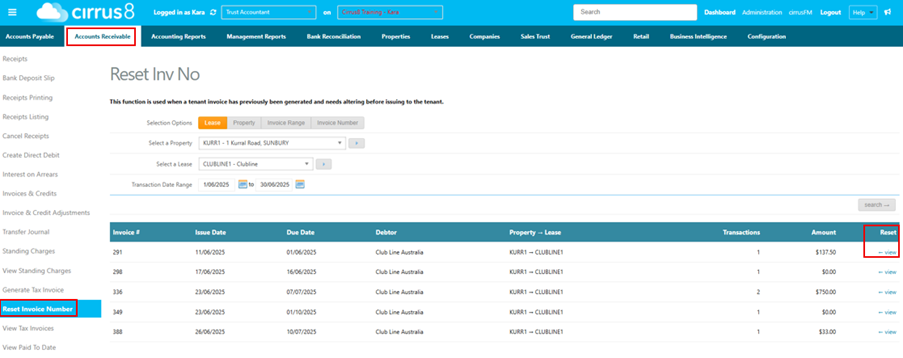
- Select to Reset

- In Invoices & Credit Adjustments, the invoice will now appear under the Period open and will have no invoice number
- You can now select to delete
Was this article helpful?
That’s Great!
Thank you for your feedback
Sorry! We couldn't be helpful
Thank you for your feedback
Feedback sent
We appreciate your effort and will try to fix the article