Assets
Assets can now be added to properties.
- To create an asset for a property, select create new asset.

Then the below will appear.
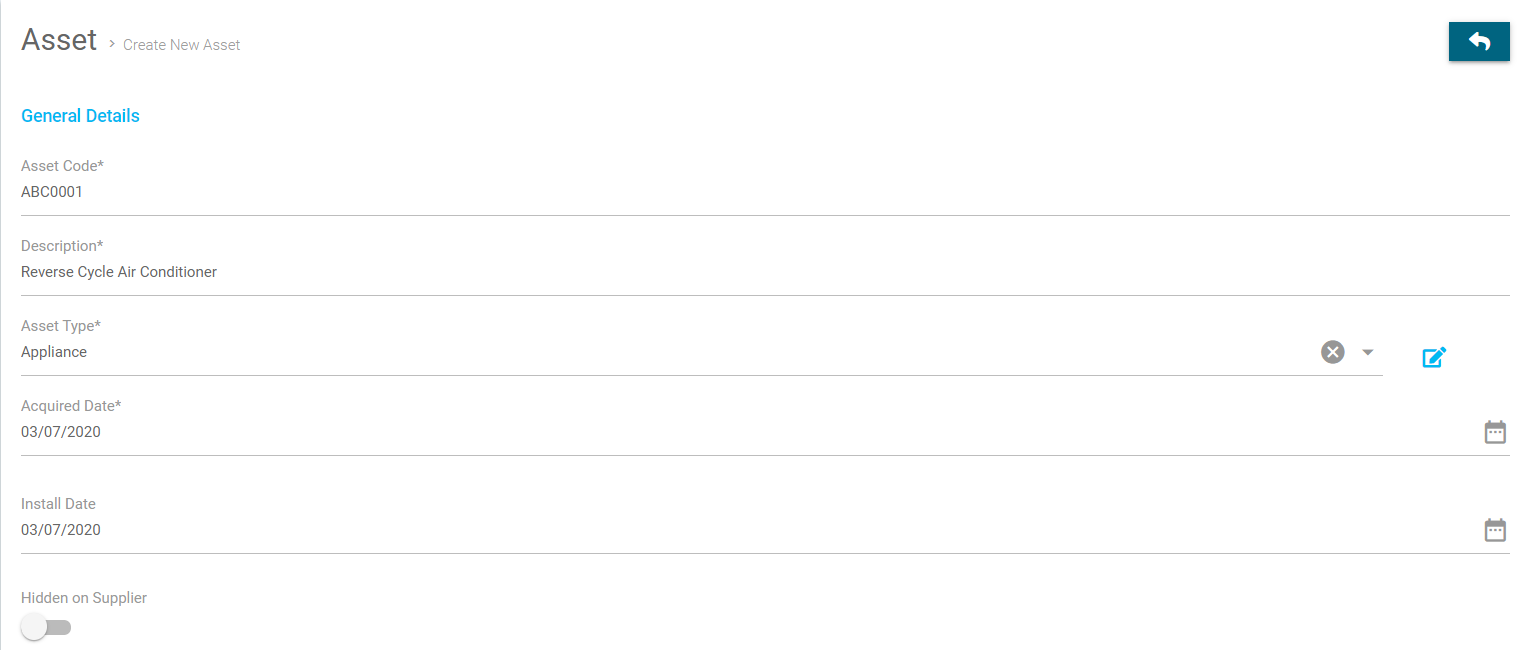
- Asset Code - This is similar in Cirrus8 how you create codes for your properties, leases or companies. 10 characters, with no special characters, only letters and numbers.
- Description - This is a description of the asset.
- Asset Type - For example - Furniture or Appliance etc. If the asset type is not there in the drop down you can add more, by clicking on the +, as there is an asset type selected there is an edit pencil.
- Acquired Date - the date the asset was acquired.
- Install Date - the date the asset was installed.
- Hidden on Supplier - if you select this toggle, the supplier will not be able to see it. Even if you include it on the workorder.
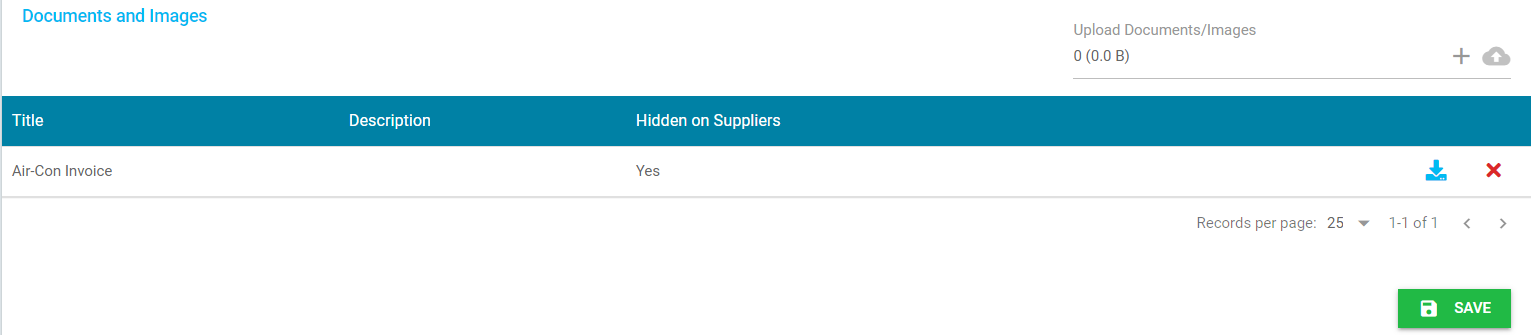
- By clicking on the + you are able to upload copies of documents and images. For example you can save a copy of the original tax invoice for the installation.
- When uploading the document this can also be hidden from suppliers.
Was this article helpful?
That’s Great!
Thank you for your feedback
Sorry! We couldn't be helpful
Thank you for your feedback
Feedback sent
We appreciate your effort and will try to fix the article