This article will provide an overview of the properties, contractor and users set up for the portfolio.
For the different access types and how to set them up please refer to the following article
CirrusFM Portfolio & Property Visibility Options
Create FM Own Portfolio

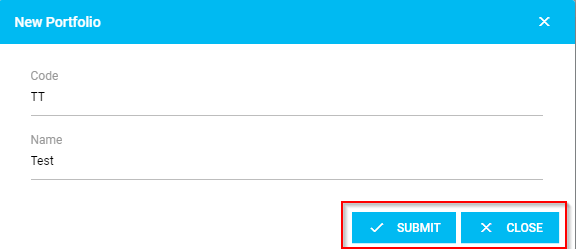
Under the Portfolio tab, you can create a portfolio by clicking 'Create New Portfolio'. This will open a pop-up and prompt you to enter the portfolio code and name, then click 'Submit' to save or 'Close' to go back.
View & Edit FM Own Portfolio
Once you have selected a portfolio to view, you will have the option to action the following:-
General Details
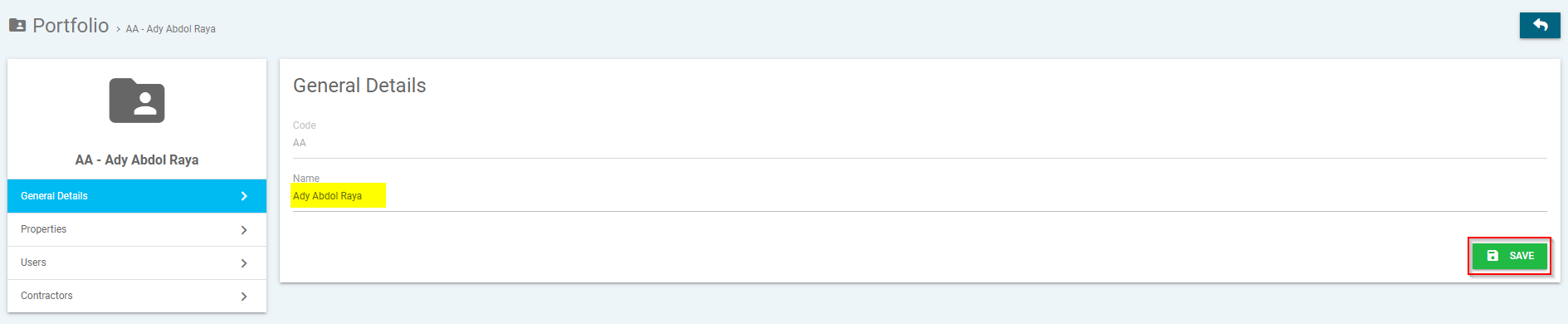
Under the General Details tab, you can amend the name for the portfolio, by entering the name and clicking 'Save'.
Properties
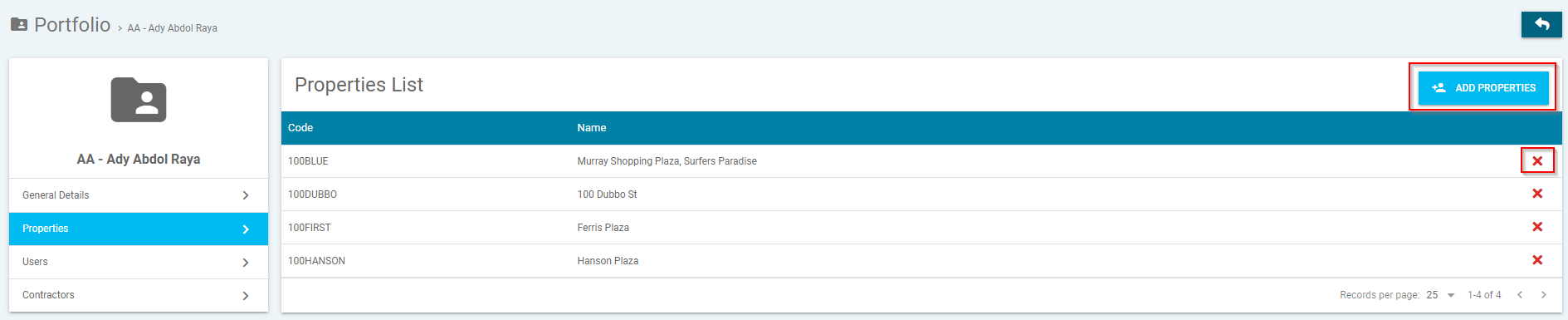
The Properties tab will allow you to add properties to a portfolio, by clicking 'Add Properties' to add or clicking the red cross icon to remove.
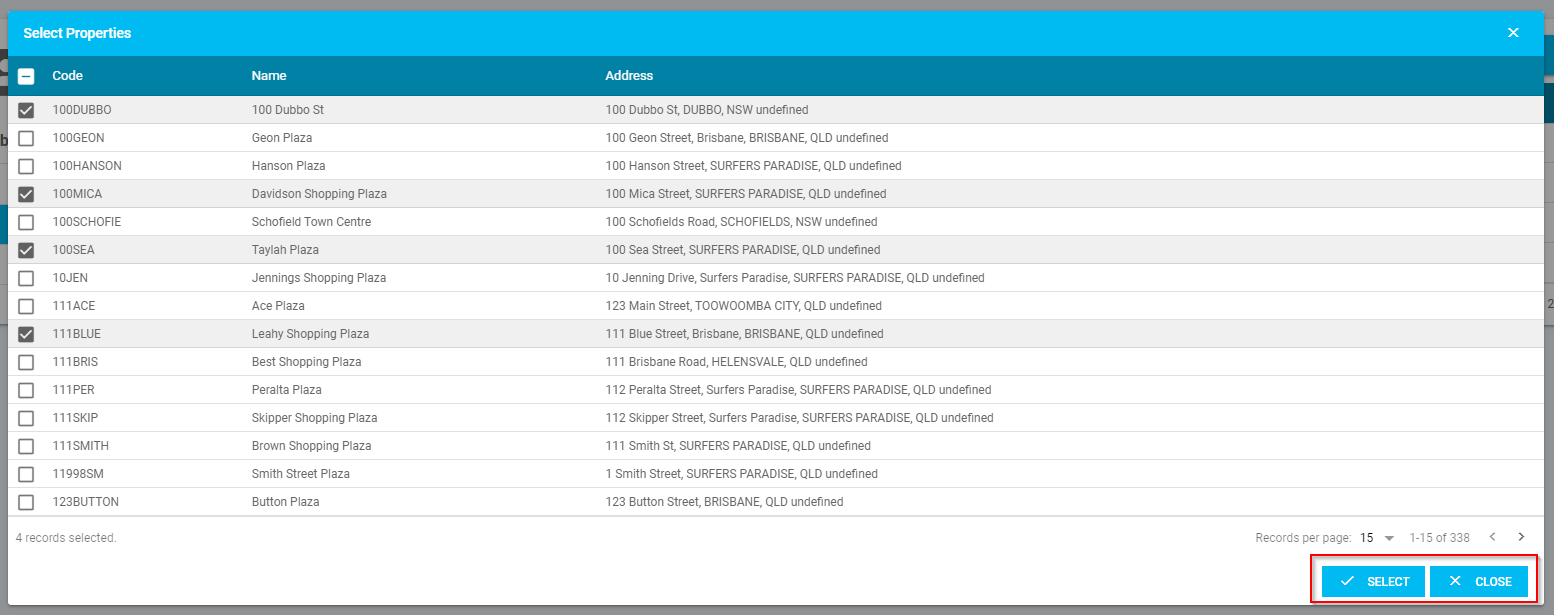
When you select 'Add Properties', a new pop-up will open and prompt you to:-
- Select the properties you wish to add
- Click 'Select' to add or 'Close' to go back
- Properties can be assigned to more than one portfolio
Users
The Users tab will allow you to add users to a portfolio, by clicking 'Add Users' to add or clicking the red cross icon to remove.
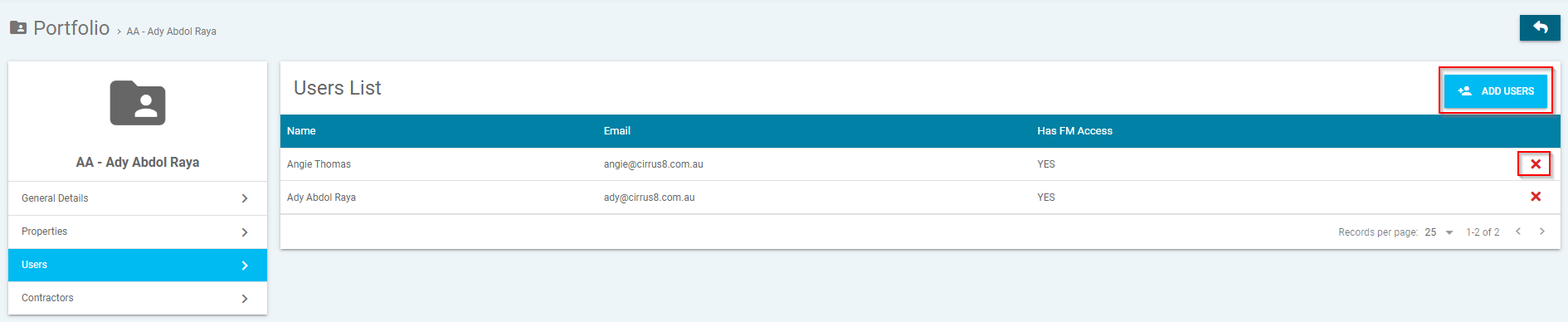
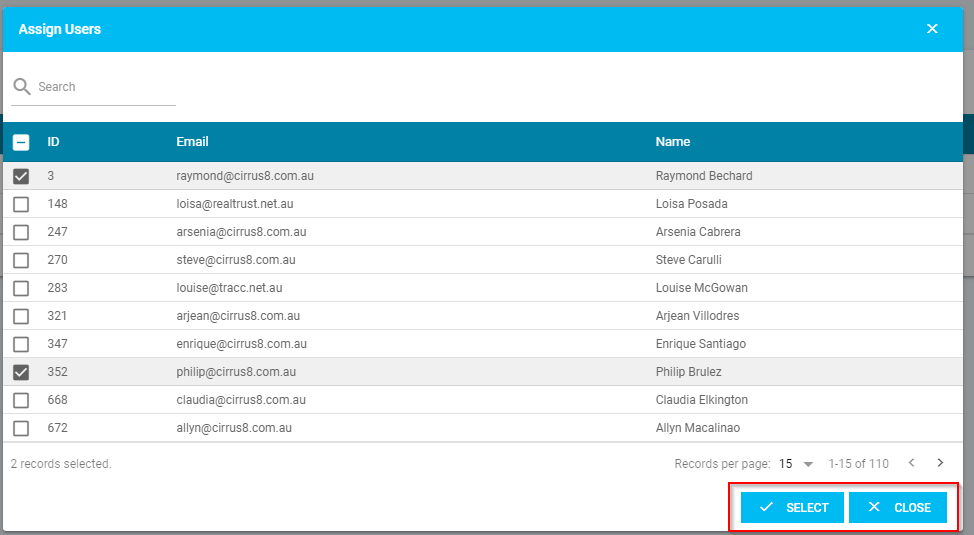
When you select 'Add User', a new pop-up will open and prompt you to:-
- Select the users you wish to add
- Click 'Select' to add or 'Close' to go back
- You can select Multiple users to a single portfolio
Contractors
The Contractors tab will allow you to add contractors to a portfolio, by clicking 'Add Suppliers' to add or clicking the red cross icon to remove.
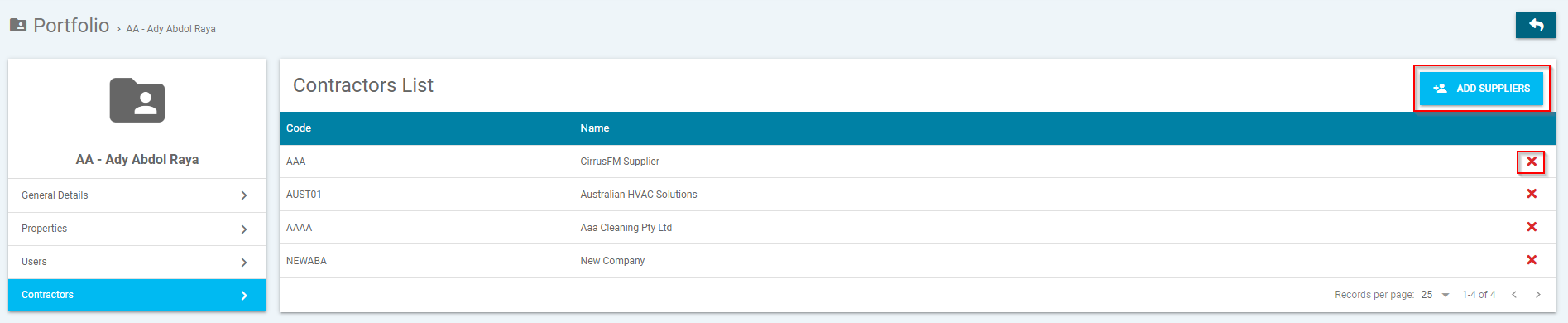
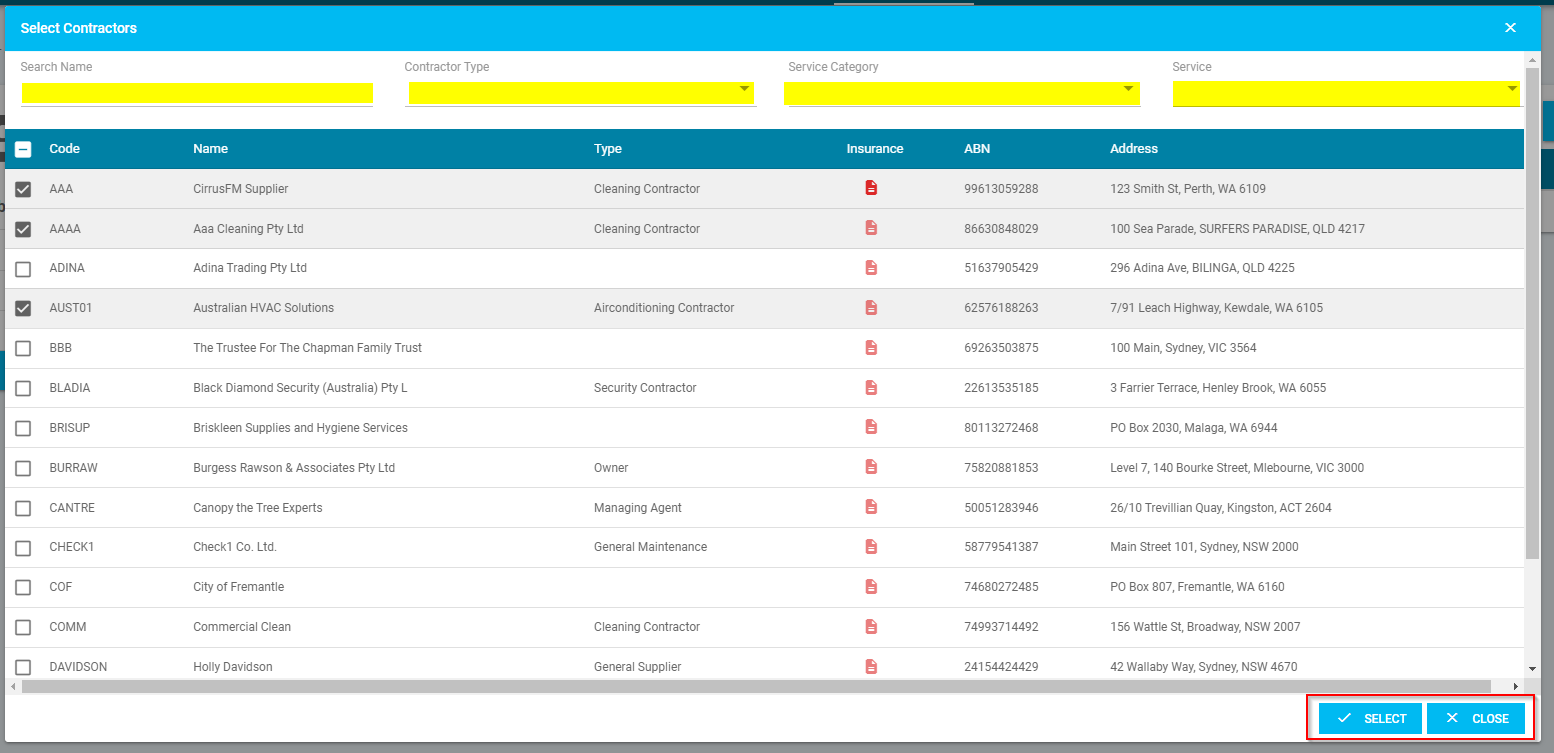
When you select 'Add User', a new pop-up will open and prompt you to:-
- Filter the search by name, contractor type, service category and service
- Select the contractors you wish to add
- Click 'Select' to add or 'Close' to go back
Was this article helpful?
That’s Great!
Thank you for your feedback
Sorry! We couldn't be helpful
Thank you for your feedback
Feedback sent
We appreciate your effort and will try to fix the article