To access the Bounced list you can go to the Email Log under Administration

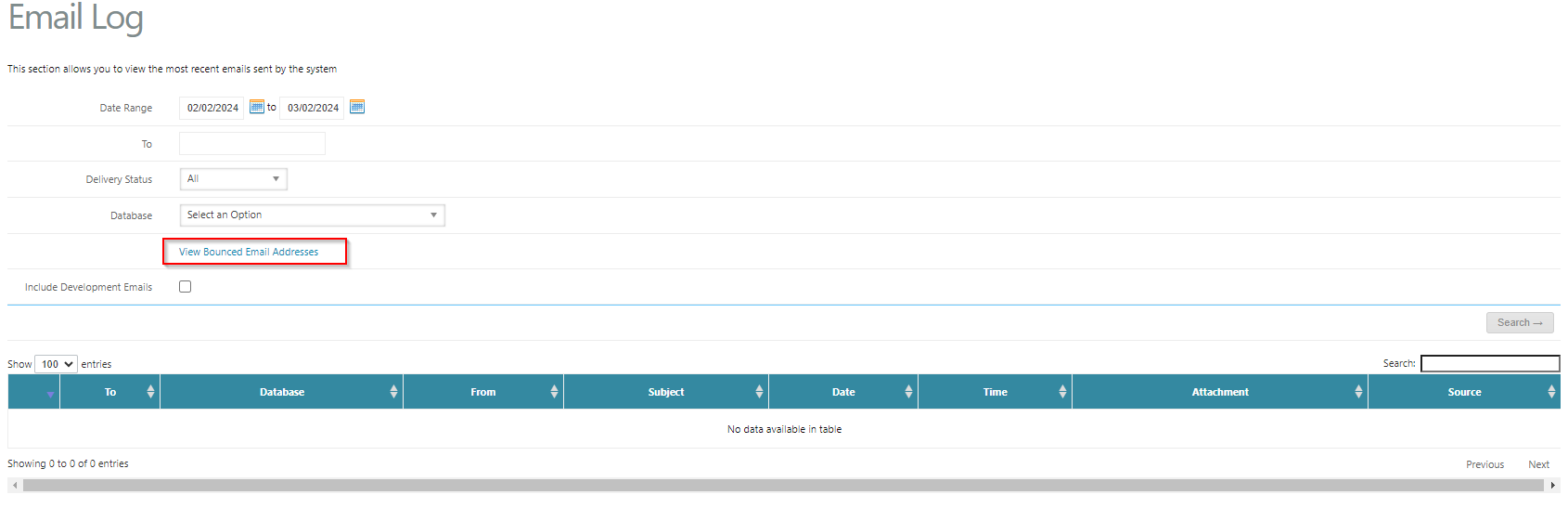
Bounced / Suspensed List
This section will list, the emails that are inactive (Email), the reason for being marked inactive (type) and the ability to remove them from the list (red X)
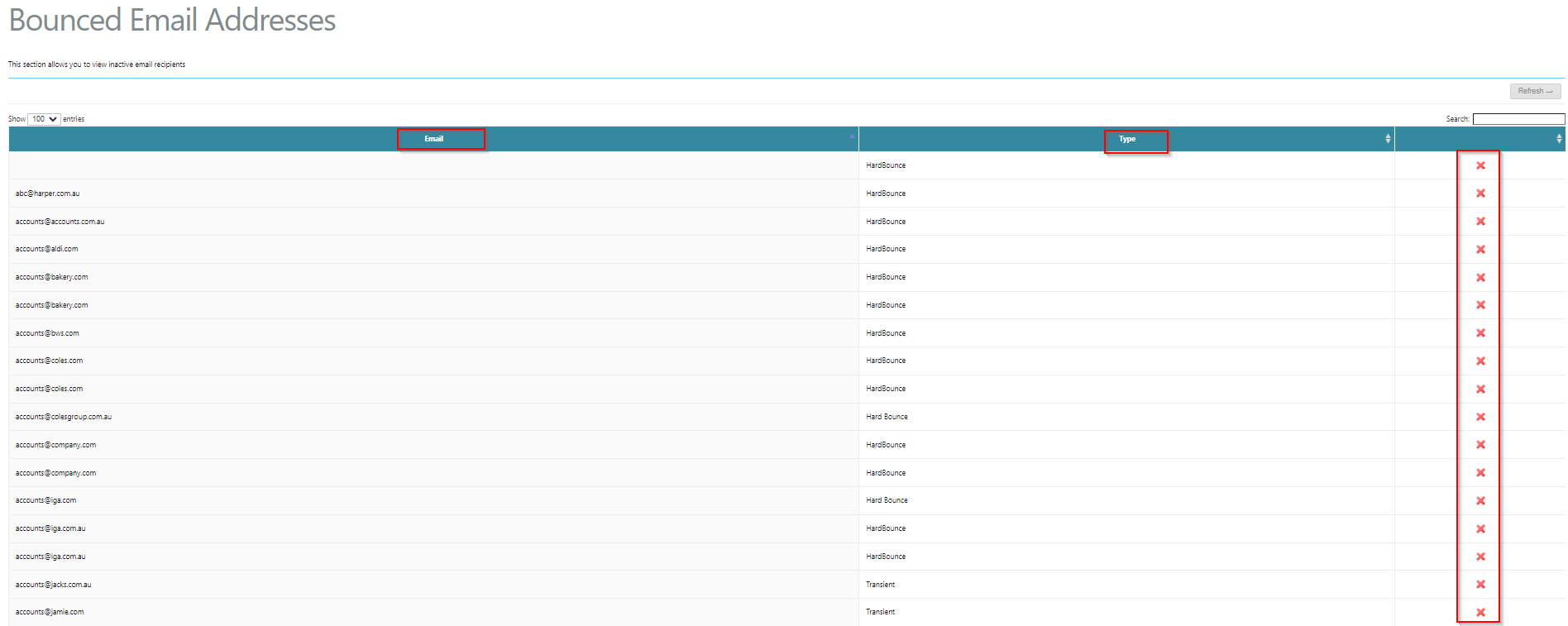
Types
- Hard Bounce: The email address no longer exists.
- Soft Bounce: The mailbox is full and not accepting emails.
- Autoresponder: Automatic email responder including nondescript NDRs and some "out of office" replies.
- Transient/Undeliverable, Message Delayed, DNS Error: There were problems connecting to the person’s mail server.
- Challenge Verification: A message was returned asking for approval.
- Unsubscribe, Address Change: A change of address or unsubscribe was requested.
- Spam Complaint: This is a list kept by postmark of addresses being marked as spam, this can not be removed by clicking the red X. In these cases check the email is legitmate and then contact support to get it removed (1 Day turn around)
Was this article helpful?
That’s Great!
Thank you for your feedback
Sorry! We couldn't be helpful
Thank you for your feedback
Feedback sent
We appreciate your effort and will try to fix the article